Spil UI Usage
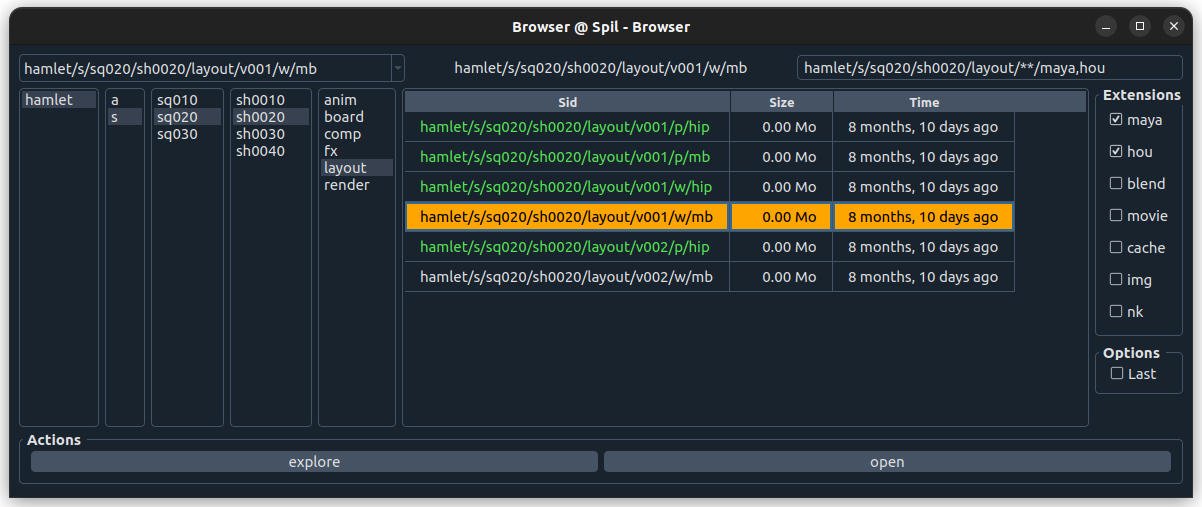
Top part
Last Used Sids
Top left. Stores 10 last used Sids.
Current Sid
Top Middle. Currently selected Sid.
This Sid will be used for the Actions (buttons below).
Search Sid
Top right. The current search Sid.
Changes when the user clicks in the middle part, or checks a box.
Can also be hand edited.
It is possible to add a query, for example try:
hamlet/a/char/ophelia/**?task=rig
Middle / Main part
Entity columns
Left Side. Dynamically building columns to traverse entities.
Sid table
Right Side. Final part of the search result shown as a table of Sid versions with attributes.